How to Use a Smart Toilet: Modes, Settings, Care
A smart toilet does most of the work by itself: it opens the lid, flushes and cleans the nozzle. Here is how to use its functions, what to adjust to your liking and how to care for the toilet.
· 8 min read
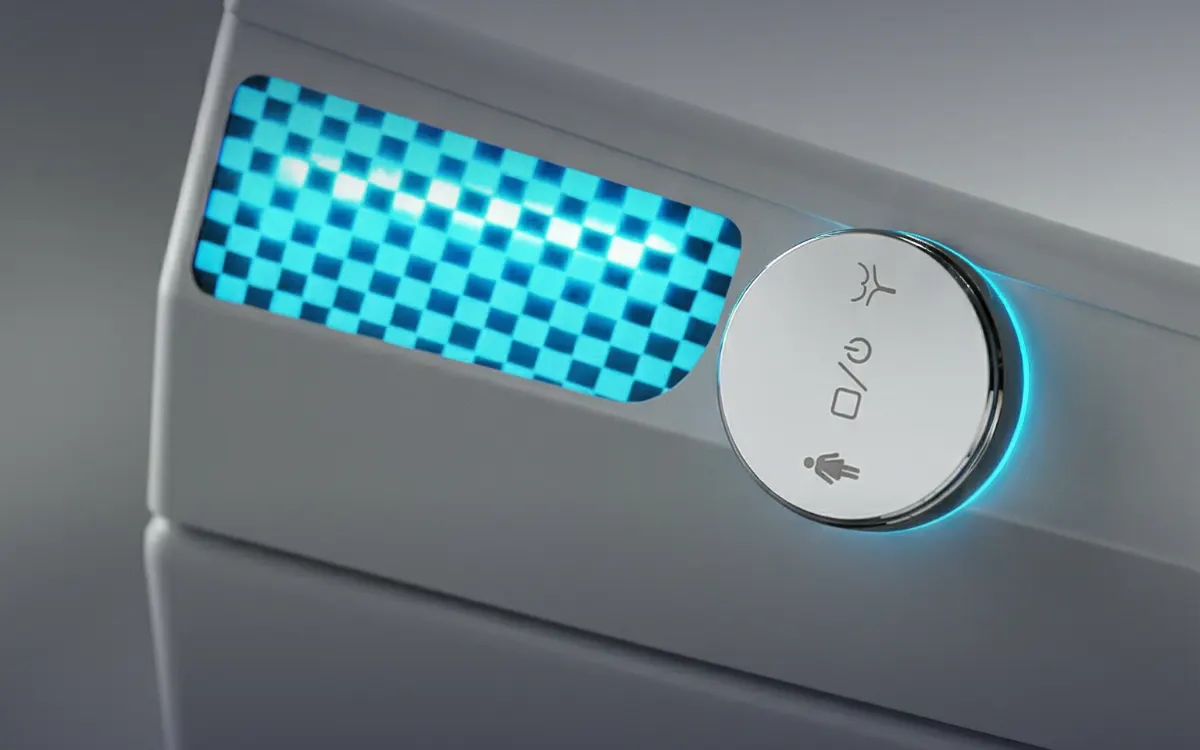
How to use a smart toilet every day
How do you use a smart toilet if you've only ever had a regular one? It's easier than it seems: day to day, it asks almost nothing of you. Here is what a typical trip to the bathroom looks like with a Kinematika Pro model:
- You walk up — the proximity sensor detects you from up to 1.5 m away and lifts the lid.
- You sit down — the seat is already warm if seat heating is on.
- You turn on the bidet wash — from the control panel, the remote or by voice. An instant water heater warms the water on the fly, so it is always fresh.
- Then you turn on the warm air dryer.
- You walk away — the lid closes and the toilet flushes by itself.
A so-called Japanese toilet is used in exactly the same way: it is the popular name for a smart bidet toilet, because such toilets first became widespread in Japan. Learn more in the article “Japanese toilet”.
Foot sensor
To lift the seat ring or start the flush without touching the toilet with your hands, use the foot sensor if your model has one: a wave of the foot opens the lid, lifts the seat ring or starts the flush. It works together with the proximity sensor or on its own. Learn more on the foot sensor page.
Wash modes: which one to choose
All our models have a bidet with nozzle self-cleaning. The set of modes differs: some have standard and oscillating wash, while others also offer cold-hot massage or a separate women's wash.
| Mode | What it does | Which models |
|---|---|---|
| Standard | A regular wash with warm water | All models |
| Oscillating | The nozzle moves during the wash | Most models — see the specifications |
| Cold-hot massage (SPA) | Alternates warm and cool water | D92, O92, O92B, O92F; O24 has cold-hot SPA |
| Women's wash | A gentle wash for women | D93 (all versions), O93, O93B, O93F, 093 MOMENT with black panel |
To start, choose the standard mode and a medium water temperature, then find what works best for you. Warm water and massage are gentler on the skin than toilet paper. Comparing models by mode is easy in the model comparison.
Smart toilet settings: water temperature, seat heating and dryer
Setting up a smart toilet is easy: you choose the water temperature, seat heating and dryer temperature. This is done from the control panel or the remote — what your model has is shown in its video review. On D92, D93 and D94 the levels are:
| Setting | Levels on D92, D93, D94 |
|---|---|
| Water temperature | 34, 37 or 40 °C |
| Seat heating | 34, 37 or 40 °C |
| Warm air dryer | 35, 43 or 52 °C |
Other models have 4 levels each for water, seat and dryer. The water is heated by an instant water heater, that is, on the fly: the wash always uses fresh water, not water that has been sitting in a tank. Learn more on the instant water heating page.
If the whole family uses the toilet, choose middle settings that suit everyone: changing levels before every visit is inconvenient. In the first few days, try each function one at a time — that way you'll quickly see which settings suit you.
Eco mode
All models have an eco mode — an energy-saving mode. It is shown in the in-depth review of MOMENT D93, which also covers the remote control, nozzle self-cleaning and touch-free control.
Voice control in Russian
All our models understand voice commands in Russian. There are 8 commands: you can change the water temperature, turn on the dryer, open the lid, start the flush and so on. This is handy when your hands are busy and for those who find it hard to lean toward the panel.
See how it looks in real life in the voice control video. Check the exact wording of the commands for your model in the manual or with a manager.
Voice is an addition to the control panel or remote, not a replacement: if someone in the family prefers buttons, use whatever is more convenient. Learn more about how the toilet recognizes speech on the voice control page.
Night light, auto flush and other automatic functions
Some functions work without any setup — you just need to know they are there:
- Night bowl light — no need to turn on the overhead light at night.
- Auto lid — opens when you approach and closes when you leave.
- Auto flush — the toilet flushes by itself after you leave.
- Foam shield — before use, it covers the water in the bowl with foam: no splashes and no odor. Built into all models except VECTOR D88, which has an external one.
- Rimless bowl and Tornado swirl flush — no rim for dirt to hide under.
- Battery in the D88–D93 series models — if the power goes out, the toilet can flush up to 50 times.
How to clean and care for a smart toilet
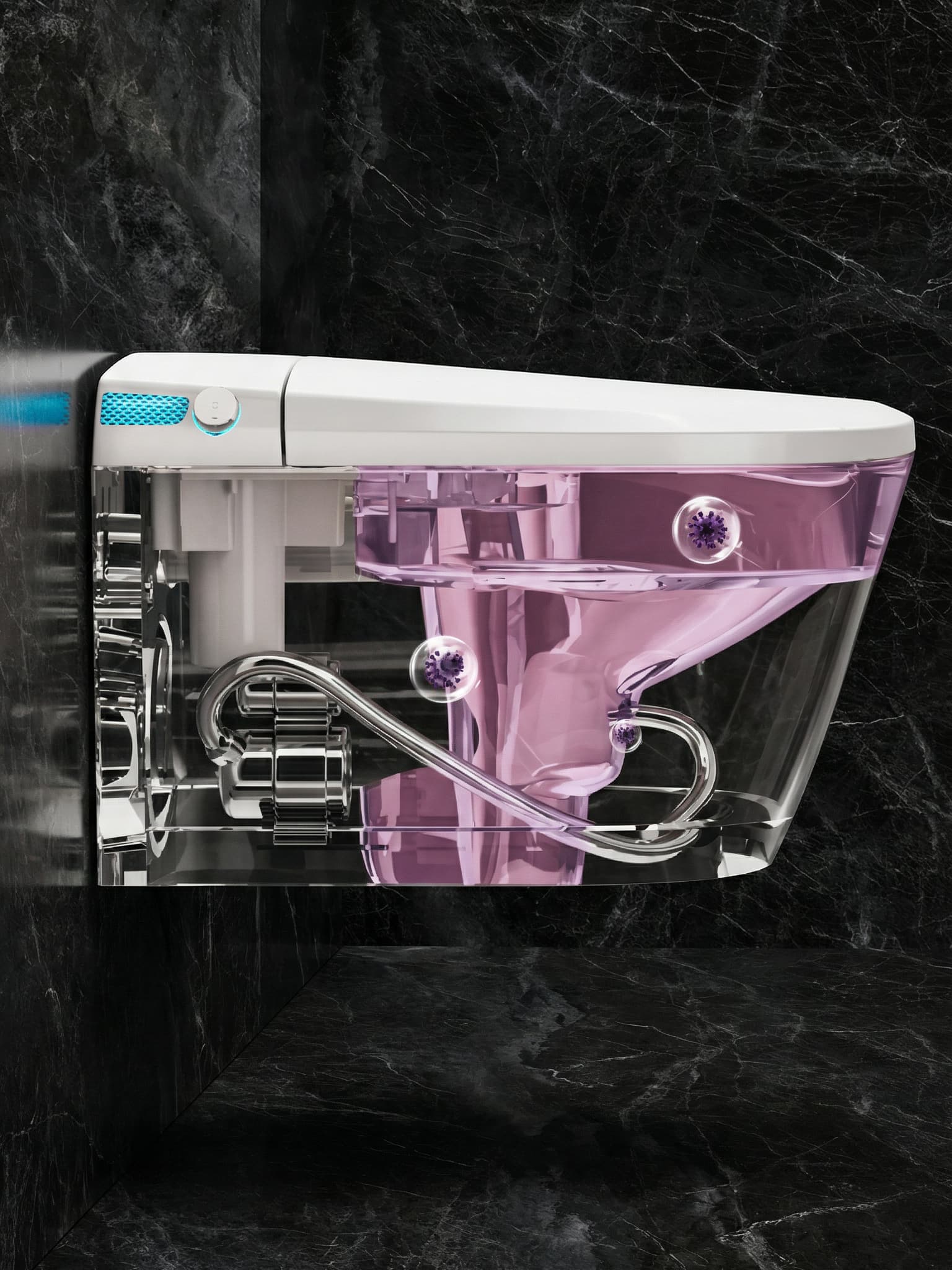
The bidet nozzle cleans itself, and ultraviolet light treats it, destroying up to 99.9% of bacteria without chemicals. So care comes down to a few simple tasks:
- Clean the bowl and seat as you would a regular toilet — with the products and method recommended in the model's manual.
- Top up the foam for the foam shield — 680 ml foam is sold in the accessories section.
- Replace the carbon filter every 6–12 months.
- Roughly every 3–4 years, after 8,000 hours of operation, replace the UV lamp — the service team can help with this.
More on the foam, filter and lamp in the article “Foam, filters and consumables for smart toilets”.
If something doesn't work
Before calling a technician, check the simple things:
- Whether there is power in the outlet the toilet is plugged into: without 220 V mains power, seat heating, the bidet wash and the dryer don't work.
- Whether the valve on the water supply line is open.
- Whether the pressure is sufficient if you have a floor-standing model without a tank (O92, O93, O92F, O93F, O24): it needs good flow pressure. Turn on the water in the hose that feeds the toilet and fill an empty 5-liter bottle for 15 seconds. If you collect 4.5 liters, the pressure is sufficient.
If that doesn't help, message us on Telegram, WhatsApp or MAX — the service team is available 24/7. A technician will run a diagnosis over a video call (about 15 minutes), the part you need will ship from our Moscow warehouse via CDEK the same day, and the technician will help you replace it over video — usually in about 20 minutes. In Moscow, you can come to the service center at 49 Arbat Street. The warranty is 1 year on all models; learn more in the service and repair section.
Don't take the toilet apart yourself before talking to a technician: over video, they will tell you what to check — you may not need to take anything apart at all.
Models in this article
Questions and answers
How do I set up a smart toilet after installation?
Choose the water, seat and dryer temperatures and check the auto lid and flush. On D92, D93 and D94, the water and seat can be set to 34, 37 or 40 °C and the dryer to 35, 43 or 52 °C; other models have 4 levels each.
How do you use a Japanese toilet?
The same way as any smart bidet toilet: the lid opens by itself, then comes a warm-water wash and drying, and the flush starts when you leave. A smart toilet is called Japanese because such toilets first became widespread in Japan.
Can I control a smart toilet by voice?
Yes, all Kinematika Pro models have voice control in Russian: 8 commands — water temperature, drying, the lid, the flush and others.
How do I clean a smart toilet?
The nozzle cleans itself and is treated with ultraviolet light. Clean the bowl and seat as you would a regular toilet, following the model's manual, top up the foam and replace the carbon filter every 6–12 months.
What should I do if a smart toilet won't flush?
Check the power in the outlet and the water supply valve, and the water pressure for tankless models. If that doesn't help, contact the service team: a diagnosis over a video call takes about 15 minutes.